PLATFORM
The operating system for freight documentation.
One connected workflow across ShipStation, your warehouse floor, and your admin dashboard.
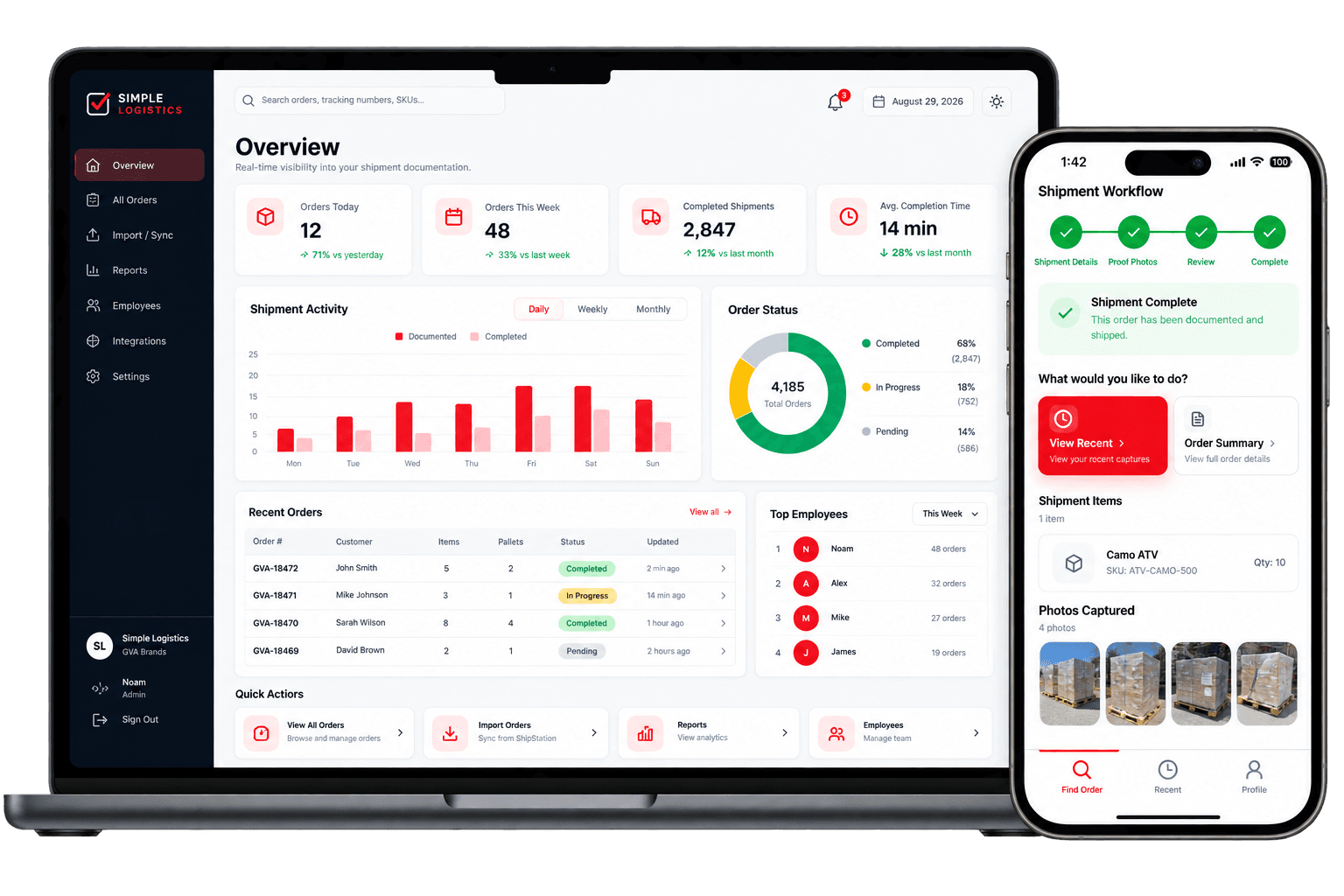
EMPLOYEE MOBILE WORKFLOW
A warehouse workflow your team already knows how to use.
Employees log in, scan a packing slip, and Simple Logistics loads the order directly from ShipStation — no manual lookup, no separate spreadsheet.
- Login → Scan Packing Slip → Order loads automatically
- Works on any modern phone browser
- No ShipStation credentials ever reach the device
ADMIN DASHBOARD
Complete shipment visibility for admins.
A central place to see every shipment, every employee's activity, and every piece of proof — without digging through group chats or spreadsheets.
- Shipment history across your whole organization
- Filter by employee, status, or date
- Operational reporting built in
PACKING SLIP SCANNING
Find the right order in seconds.
Scanning the packing slip barcode looks the order up directly — by order number or tracking number — so employees never have to type anything to get started.
SHIPMENT DETAILS
Expected vs. prepared quantities, side by side.
Before proof photos are captured, the team enters the pallet count and the actual item quantity prepared, comparing it directly against what ShipStation expects — with a deliberate confirmation step whenever the numbers don't match.
- Expected quantity synced from ShipStation
- Explicit confirmation required on a mismatch
- Nothing ships silently out of balance
PALLET-BASED PROOF
Structured proof, organized by pallet.
A minimum of one packing-slip photo and two photos per pallet — automatically labeled Pallet 1, Pallet 2, and so on — instead of one flat folder of unlabeled images.
TRACKING, CARRIER & REVIEW
Every detail captured before it ships.
Tracking numbers can be typed or scanned, carriers are selected from a real freight-first list, and a final review screen shows the complete shipment record before it's marked complete.
- Scan or manually enter tracking numbers
- Freight-first carrier list
- One clear Complete Shipment action
SHIPMENT HISTORY
Every completed shipment, permanently on record.
Once a shipment is complete, its full record — quantities, carrier, tracking, and every photo — stays searchable in the admin dashboard for as long as you need it.
VIN & serial verification.
For serialized inventory, Pro will let your team scan a unique VIN or serial number per unit, catch duplicate scans, and build a searchable shipment history by serial number. This is on our roadmap — not live in the product today.
SHIPSTATION CONNECTION
Connected once, synced continuously.
A company admin connects ShipStation during onboarding with a guided, read-only-verified setup. From then on, order data flows in automatically for your warehouse team to work from.
See the ShipStation integrationROADMAP
Admin & customer communication.
Not live yet — here's what we're building next.
Customer completion emails
An automatic email to the customer once a shipment is completed, with a secure link to view proof photos.
Admin completion notifications
A summary email to your admins whenever a shipment is completed, so nothing needs manual checking.