INTEGRATIONS
Connect Simple Logistics to your existing operations.
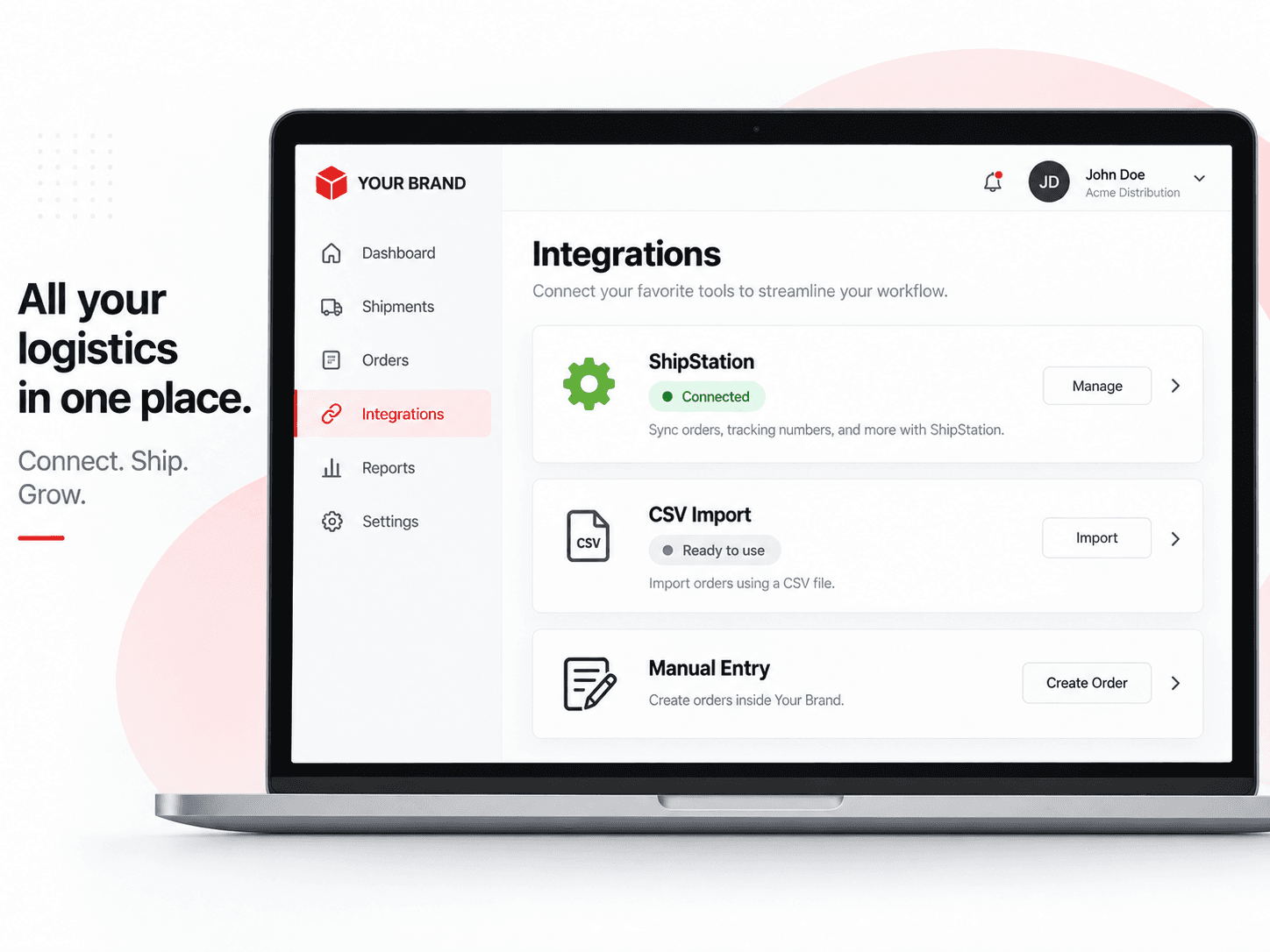
Integrate your order data, import via CSV, or enter orders manually. Keep your shipment documentation and records in one organized hub.
FEATURED INTEGRATION
ShipStation integration
Connect your ShipStation account to import orders into Simple Logistics. Keep your order and shipment documentation organized in one place.

- Import orders from ShipStation
- Streamline your shipment documentation
- Keep records organized in Simple Logistics
Other ways to get your orders into Simple Logistics
Not using an integration? No problem. You can also import orders via CSV or enter them manually.
CSV Import
Import orders via CSV
Upload your order data using a CSV file. A simple way to get your orders into Simple Logistics.
View CSV guidelinesManual Entry
Enter orders manually
Create orders directly in Simple Logistics for full control and flexibility.
Learn howHOW IT WORKS
A simple flow from orders to organized records.
Bring in your orders, document your shipments, and keep everything organized — all in one place with Simple Logistics.
1. Orders come in
Import orders from ShipStation, upload via CSV, or enter them manually.
2. Teams document shipments
Create and manage your shipment documentation in Simple Logistics.
3. Records stay organized
Keep all your shipment records in one place, ready when you need them.
CURRENT INTEGRATION SUPPORT
Built for your workflow, with room to grow.
Simple Logistics currently supports the ShipStation integration, with CSV import and manual entry options. More integrations can be added as operations grow.
HAVE QUESTIONS?
Let's create a setup that works for you.
Our team can help you get connected and make sure Simple Logistics fits your workflow.
Talk to our team →WHY INTEGRATE
Keep your operations connected and organized.
Less manual work
Bring in your orders and reduce repetitive data entry.
Accurate records
Keep your shipment documentation in one place.
Work your way
Use an integration, CSV import, or manual entry — whichever fits your workflow.
Ready for what’s next
More integrations can be added as operations grow.
Same simple logistics in motion.
Connect your operations, document your shipments, and keep your records organized — all in one place.